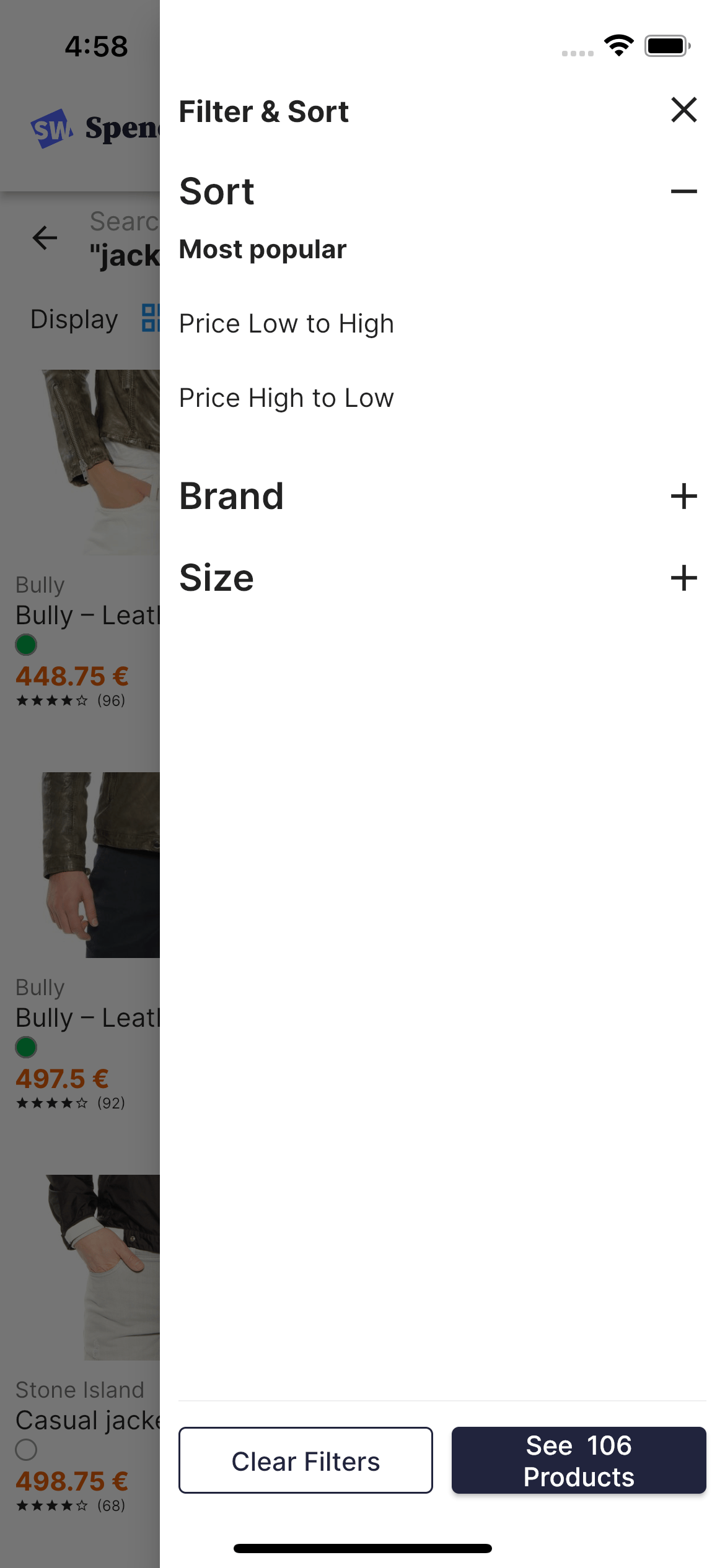
The Sort component lets users sort products according to different criteria, such as “Price Low to High” or “Most popular”. Screenshot of a 'Filter and Sort' menu with sorting options, expandable 'Brand' and 'Size' sections, and 'Clear Filters' and 'See 106 Products' buttons.

Configure

To configure the Sort filter, edit the search_repository.dart file:
Usage
/// Get currently selected index
Stream<SortIndex> get selectedIndex =>
    _hitsSearcher.state.map((state) => SortIndex.of(state.indexName));

/// Update target index
void selectIndexName(String indexName) {
  _hitsSearcher
      .applyState((state) => state.copyWith(indexName: indexName, page: 0));
}
The SortIndex class is defined in the sorting.dart file.

Code summary

To customize the filters view, edit these files:

Usage and props

class SortSelectorView extends StatelessWidget {
  const SortSelectorView(
      {super.key, required this.sorts, required this.onToggle});

  final Stream<SortIndex> sorts;
  final Function(String) onToggle;

  @override
  Widget build(BuildContext context) {
    return StreamBuilder<SortIndex>(
        stream: sorts,
        builder: (context, snapshot) {
          final selectedIndex = snapshot.data;
          return SliverFixedExtentList(
              itemExtent: 40,
              delegate: SliverChildBuilderDelegate(
                (BuildContext context, int index) {
                  final item = SortIndex.values[index];
                  return InkWell(
                      onTap: () => onToggle(item.indexName),
                      child: Text(
                        item.title,
                        style: TextStyle(
                            fontWeight: item == selectedIndex
                                ? FontWeight.bold
                                : FontWeight.normal),
                      ));
                },
                childCount: SortIndex.values.length,
              ));
        });
  }
}
class SortTitleView extends StatelessWidget {
  const SortTitleView(
      {super.key, required this.sorts, required this.isActive});

  final Stream<SortIndex> sorts;
  final bool isActive;

  @override
  Widget build(BuildContext context) {
    return Column(
      crossAxisAlignment: CrossAxisAlignment.start,
      children: [
        const Text('Sort',
            style: TextStyle(fontSize: 20, fontWeight: FontWeight.w600)),
        if (!isActive)
          StreamBuilder<SortIndex>(
              stream: sorts,
              builder: (context, snapshot) =>
                  Text(snapshot.hasData ? snapshot.data!.title : '')),
      ],
    );
  }
}
Last modified on March 23, 2026